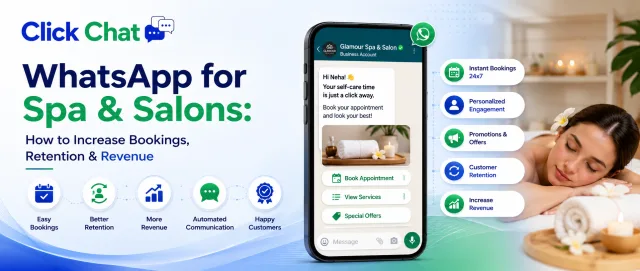
WhatsApp for Spa and Salons: How to Increase Bookings, Retention & Revenue
Boost Salon Appointments and Customer Retention with WhatsApp Automation
Written by
Super Admin
WhatsApp for Spa and Salons: How to Increase Bookings, Retention & Revenue
In the beauty and wellness industry, relationships matter. Clients don’t just visit a spa or salon for services. They come for comfort, trust, and personalized care. Today, the easiest way to build and maintain that relationship is through WhatsApp.
With WhatsApp Business API powered by ClickChat, spas and salons can automate bookings, reminders, promotions, and customer engagement at scale while keeping communication personal.
Why WhatsApp Works for Spas and Salons
Most salon clients already use WhatsApp daily. Instead of relying on calls, SMS, or social media DMs, WhatsApp provides a direct and reliable communication channel with high open rates.
Benefits include:
Instant appointment confirmations
Automated reminders to reduce noshows
Personalized offers and loyalty messages
Quick customer support
Easy catalog sharing for services
When done right, WhatsApp becomes your digital front desk.
1. Automated Appointment Booking
Clients prefer quick booking without waiting on calls. With ClickChat WhatsApp automation, salons can:
Share service menus
Let customers choose time slots
Send instant booking confirmations
Automatically update reminders
This reduces manual effort and improves customer experience.
2. Reduce NoShows with Smart Reminders
Missed appointments cost money. Automated WhatsApp reminders sent 24 hours before the appointment can significantly reduce cancellations and noshows.
Example reminder:
Hi {{name}}, this is a reminder for your hair spa appointment tomorrow at 5 PM. Reply YES to confirm or RESCHEDULE to change your slot.
Simple. Professional. Effective.
3. Promote Offers Without Being Spammy
Spas and salons run frequent promotions like festive discounts, membership packages, or bridal offers. With WhatsApp Business API, you can send promotional messages only to optedin customers.
Use cases:
Seasonal discount campaigns
Birthday offers
Membership renewal reminders
New service launches
Personalized messaging increases repeat visits and loyalty.
4. Share Service Catalog and Pricing
WhatsApp allows you to share:
Service catalogs
Before and after images
Pricing details
Package information
Clients can view everything directly in chat, making decisionmaking faster.
5. Collect Feedback and Build Loyalty
After every service, send a simple feedback request:
Hi {{name}}, we hope you loved your experience with us. Please rate your visit from 1 to 5.
This helps improve service and strengthens client relationships.
6. Build a VIP Customer Database
With ClickChat CRM integration, spas can segment customers based on:
Visit frequency
Services taken
Spending patterns
This allows targeted marketing campaigns instead of sending the same message to everyone.
How ClickChat Helps Spas & Salons
ClickChat provides:
Official WhatsApp Business API onboarding
Automation workflows
Broadcast campaigns
Appointment reminder systems
0% markup on Meta conversation charges
Easy dashboard for staff
You get automation with personalization.
Real Business Impact
Spas and salons using WhatsApp automation typically see:
30–50% reduction in noshows
Higher repeat bookings
Increased upselling opportunities
Faster customer support resolution
WhatsApp turns conversations into conversions.
Final Thoughts
In a servicedriven industry like beauty and wellness, communication builds loyalty. WhatsApp Business API helps spas and salons stay connected, professional, and organized.
If you want to automate bookings, reduce missed appointments, and increase repeat customers, WhatsApp is not optional anymore. It is essential.
ClickChat helps you implement it the right way.
-thumb.webp)